
Square Face Generator
Build a kawaii square face icon in your browser: stack skin, clothes, hair, eyes, and accessories, then download a crisp 256x256 PNG for profiles, games, and communities.
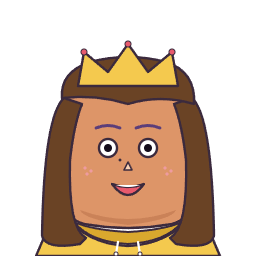
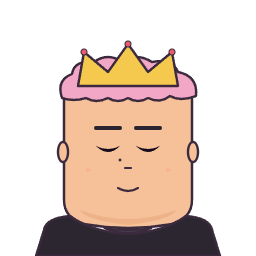

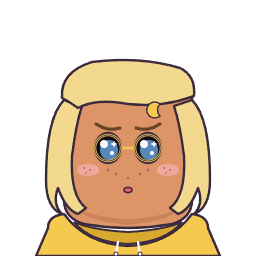

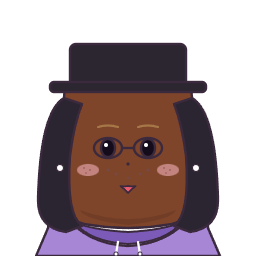


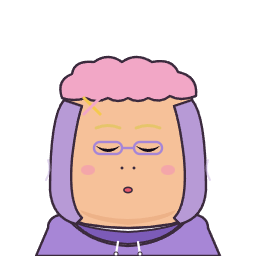
Click the START button below to get started.
You can create a cute square face icon with this generator. Pick tabs, choose favorite parts and colors, then save a PNG.
Face Shape & Skin
20 styles
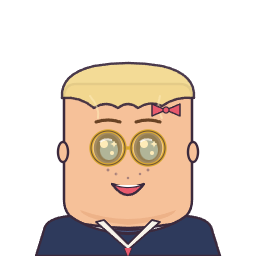
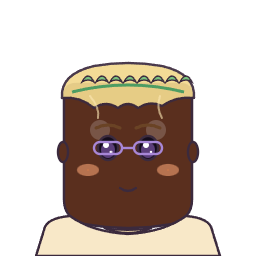
More square face ideas







Why Use Square Face Generator?
Simple & Fun
Tap categories, pick parts, and tint colors without installing Flash or heavy apps.
Free to Use
Create unlimited square face icons and cube-ready art for personal or commercial projects.
Instant Download
Export a pixel-friendly 256 x 256 PNG with transparency for Discord, X, TikTok, and more.
How It Works
- Step 1
Choose face parts
Start with skin tone, then layer clothes, hair, eyes, nose, and mouth.
- Step 2
Adjust colors & styles
Use the Color chip to tint hair, brows, lips, glasses, hats, and more.
- Step 3
Save your square face icon
Hit SAVE for an instant PNG. Randomize for ideas or reset to defaults anytime.
Perfect For
Social Media Profiles
Square face avatars read clearly at small sizes on X, Discord, and forums.
Game Development
NPC portraits, chat icons, and cube-wrapped sprites stay consistent at 256px.
Team & Community
Matchy profile pictures for squads without a complex Picrew session.
Creative Projects
Storyboards, pitch decks, and sticker packs with a hand-drawn square icon look.
What Is a Square Face Generator?
Square Face Generator is a browser-based DIY avatar maker for people who want cute, anime-inspired profile art without installing heavy design software. The editor keeps every character inside a bold square canvas, so the final icon feels playful, readable, and easy to use across Discord, TikTok, YouTube, forums, Notion pages, game jams, and community servers. Instead of asking you to draw from scratch, Square Face Generator lets you combine face shapes, skin tones, bangs, side hair, eyes, eyebrows, mouths, clothes, glasses, hats, and tiny accessories into a clean 256 x 256 PNG.
The visual direction is built around a Japanese anime community mood: soft pink and lavender backgrounds, sticker-like avatar cards, round hand-drawn borders, gentle blush marks, school-uniform details, cute hair silhouettes, and a gallery-wall feeling. Square Face Generator is not a generic corporate avatar tool. It is designed to feel closer to a small creator booth, a fan-art profile wall, or a classic web toy where every click reveals another expressive face. The result is friendly enough for casual social profiles and structured enough for creators who need repeatable square icons.
Privacy and speed are part of the workflow. Square Face Generator renders locally with Canvas in your browser, stores saved previews on your device, and downloads the finished PNG instantly. No login is required, no Flash runtime is needed, and no account wall interrupts the creative loop. You can start with Random to discover a surprising combination, then refine the face by choosing a skin color, switching the face shape, changing hair color, adjusting eyebrows, adding glasses, or hiding optional layers with None.
For SEO and user intent, this page focuses on one clear purpose: helping visitors create a square face icon online. Square Face Generator supports that intent from the first screen to the final download. The hero shows community examples, the editor provides hands-on DIY controls, the carousel gives more character inspiration, and the guide sections explain how to use the tool for profile pictures, lightweight game characters, classroom icebreakers, streaming identities, and community badges.
If you need an avatar that is cute, compact, and easy to recognize at small sizes, Square Face Generator gives you a focused path. Choose the big shapes first, refine the expression second, and finish with accessories only when they improve the character. That simple order keeps the icon readable even after social platforms crop, compress, or display it in a small circle.
Your creations stay on this device
Use Save in the generator to download a PNG. Optional saved slots in the editor are stored only in your browser. Clearing site data will remove them.